
How to Use Your DW Card?
Tap once to share your details instantly, anytime, anywhere.
How It Works
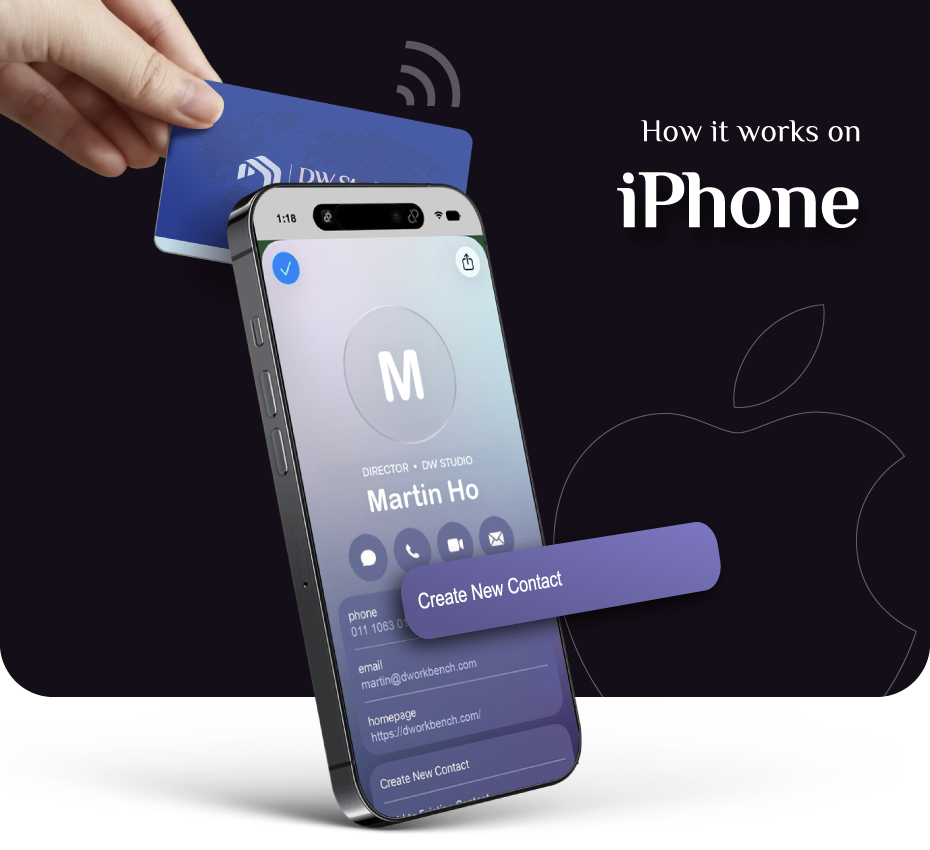
Share contact on iPhone
-
Tap Aim for the top edge (near the camera).
-
Save When the contact opens, scroll down and select "Create New Contact" to lock it in.
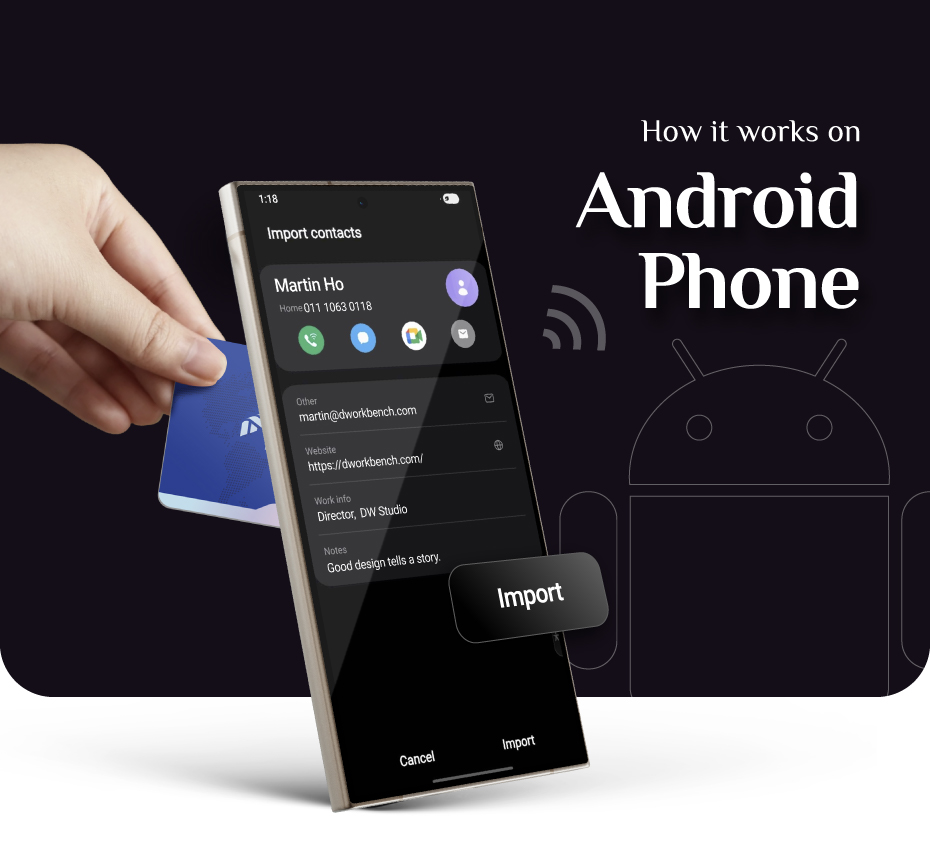
Share contact on Android
-
Tap Aim for the middle of the back panel (where the NFC chip lives).
-
Save Tap the link, download the contact file, and select "Save to Device."
A new way to network
•
Tap to share instantly
•
Connect in style
•
The modern business card
•
First impression is everything
•
DW NFC Card
A new way to network
•
Tap to share instantly
•
Connect in style
•
The modern business card
•
First impression is everything
•
DW NFC Card
FAQs
General
DW NFC Smart Card is a modern business card that shares your details instantly. Just tap on a phone to open your digital profile.
The card contains an NFC chip. When you tap it on a compatible phone, it opens your profile link in the phone’s browser.
No. It opens directly in the browser.
No. They only need an NFC-compatible phone.
Typical timeline:
Design: 2 working days
Lead time (production after design confirmed): 10 working days
Shipping: 3–5 working days
Estimated total: around 15–17 working days (depending on how fast design is confirmed).
No — we currently do not offer urgent orders. We follow our standard timeline to ensure quality.
Design
2 working days after we receive your confirmed details and your chosen Lookbook style.
Please send:
- Name & job title
- Phone / WhatsApp / email
- Company name (optional)
- Website + social links
- Logo file (AI/PDF/PNG preferred)
- Your chosen Lookbook design
If you want a different print design after confirmation, it will require a new print (replacement card).
Digital Profile
Yes — we will set it up for you based on the details you provide.
Yes. If you need access, we will provide edit access so you can update your profile anytime.
No. The card will always link to your latest digital profile.
Compatibility
Yes — it works with most modern iPhone and Android devices that support NFC.
iPhone: usually near the top of the phone
Android: usually near the middle/back area
Hold the card for 1–2 seconds for best results.
Common fixes:
- Make sure the phone screen is ON
- Hold the card steady for 1–2 seconds
- Ensure NFC is enabled (some Android devices allow NFC toggle)
- Try a slightly different tap position
Shipping
Shipping typically takes 3–5 working days after dispatch.
After design confirmation, production lead time is 10 working days, then we dispatch and provide tracking.
Yes — tracking is provided once dispatched.
Still have something to ask?
-
Eco-Friendly Designed for ESG - Reduce paper usage.
-
No app needed. Opens instantly in any browser.
-
iOS & Android compatible Works with all types of phones.
-
Built to last a lifetime. Update your info as it changes.